 Made in USA


ES100Direct-space humidifier
Control relative humidity where paper is printed, boards are assembled or goods are stored. The wall-mounted ES100 delivers Self-Evaporating Droplets directly into the room, with two model sizes for different moisture loads.
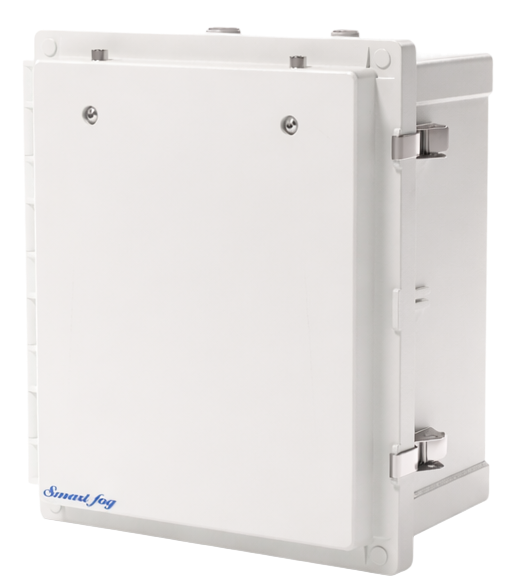
Compare ES100 models
The ES100-2 delivers twice the water output of the ES100-1 and uses twice the compressed air. Both models use the same supply pressure range. Ventilation, exhaust and open doors determine how much moisture a room needs.
| Per unit | ES100-1 | ES100-2 |
|---|---|---|
| Rated water output | 6 L/h (1.5 GPH) | 12 L/h (3.2 GPH) |
| Compressed air flow | 70 L/min (2.5 CFM) | 140 L/min (5 CFM) |
| Air supply pressure | 100–120 psi | 100–120 psi |
| Water supply pressure | 10–80 psi | 10–80 psi |
| Nominal droplet size | 4.2 µm | 4.2 µm |
Ratings are from the linked Smart Fog model sheets. Confirm final connections, mounting details and options against the submittal for your installation.
Where direct-space humidity control fits
Choose a room-level system when a process needs its own humidity target or operating schedule. These applications illustrate how the design inputs change from one room to the next.

Printing and paper
Paper can change dimensions as its moisture content changes. Control the pressroom and paper storage to the RH range specified for the stock.
Pressroom humidity →
Electronics and ESD
Dry air can contribute to charge buildup at assembly stations. Set the humidity target with the facility’s ESD coordinator alongside grounding and workstation controls.
PCB assembly humidity →
Cold storage
Door openings bring outside air into the room. Include product temperature, door traffic and shutdown conditions when sizing a cold-storage zone.
Cold-room humidity →Plan the installation
Start with the area where the material is exposed. A floor plan showing doors, exhaust points, workstations and available utilities helps an engineer select the model, unit locations and control zones.
- Placement and airflow
- Give droplets room to evaporate before reaching stock, equipment or a wall. Identify obstructions and use the room’s air circulation to distribute moisture.
- Air and water
- Check the available compressed air flow at the unit’s operating pressure. Review water quality and treatment needs, including ZeroTDS where appropriate.
- Control and zoning
- RH sensors feed the CPLC controller, which cycles humidification as demand changes. Place sensors where readings represent the process and identify areas with separate schedules.
ES100 application questions
When should I choose the ES100 or TS100?
Choose the ES100 when the room or process zone needs direct humidification. Choose the TS100 in-duct humidifier when the air handler or supply duct is the distribution point.
What equipment should I plan for?
A typical system includes wall-mounted units, RH sensors, the CPLC controller, PB valve control and connecting tubing and fittings. Confirm available air, water and controller power during selection.
What changes in a cold room?
Provide the lowest operating and shutdown temperatures. An engineer can review heat tracing and supply-line protection for those conditions.
Can the ES100 connect to our building controls?
Identify your building management system and the points you need to monitor. Ask about the applicable Modbus or BACnet integration package when requesting a selection.
Size the ES100 for your room
Send your room dimensions, operating temperature, current and target RH, and any known outside-air or exhaust rates. Smart Fog can use those inputs to recommend a model, unit count and placement.